
Copy of Shopify
We have simplified the process to implement MyRegistry Gift list into your Shopify Store

App Overview
This app allows MyRegistry partners to integrate powerful features for a seamless universal gift registry experience
Add to Registry Button
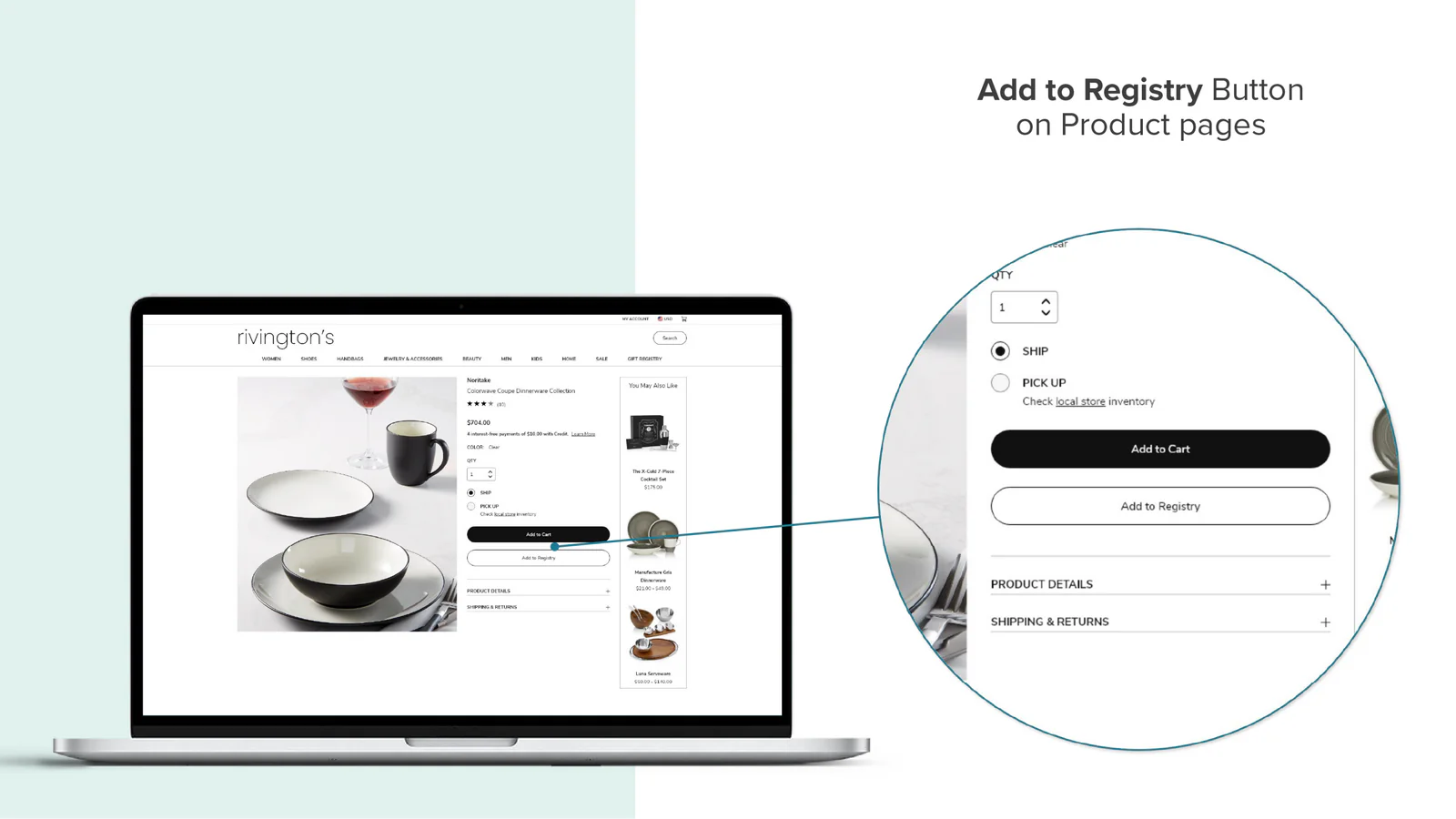
Add any product directly to MyRegistry gift list
Landing Page
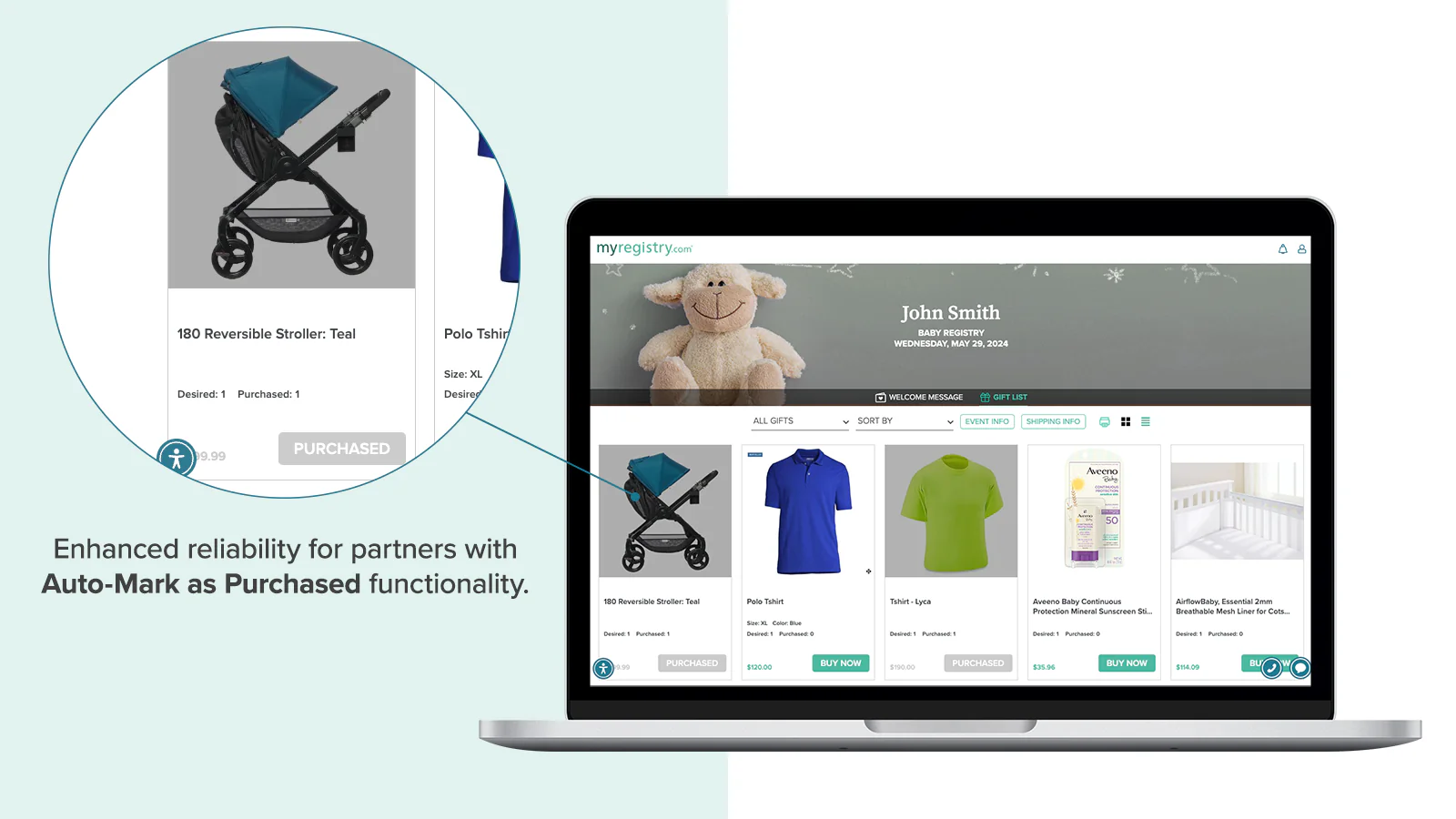
Automatically marks items as purchased on gift lists
Automark as Purchased
Automatically marks items as purchased on gift lists
Shipping Auto-Populate
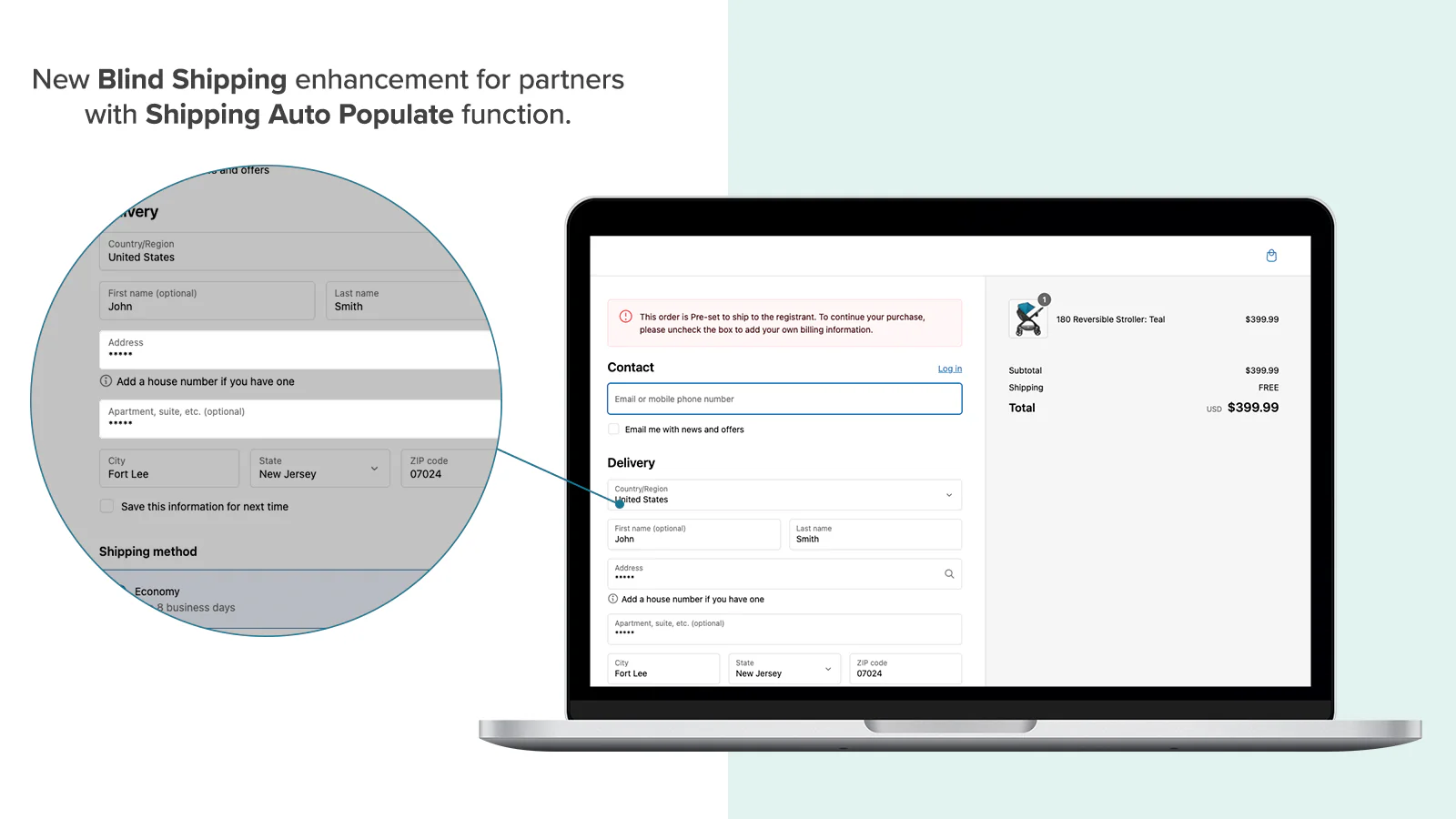
Pre-fills gift recipient's address during checkout
📲 Get the App
Use the private link provided by the MyRegistry team to get the Advanced MyRegistry Functions App.
🔴 This is a private app and is not publicly listed on the Shopify App Store.
If you don't already have the install link:
-
New MyRegistry partners can request access here
-
Existing MyRegistry partners should email [email protected] to receive the installation link
 Important: Click the link to begin installation and follow the instructions
Prerequisite
 Before getting started, please ensure the following are in place:
 You are an active MyRegistry Partner and have the Sitekey
 You have a Shopify Plus plan to access checkout-based features (e.g. Shipping Auto-Populate)
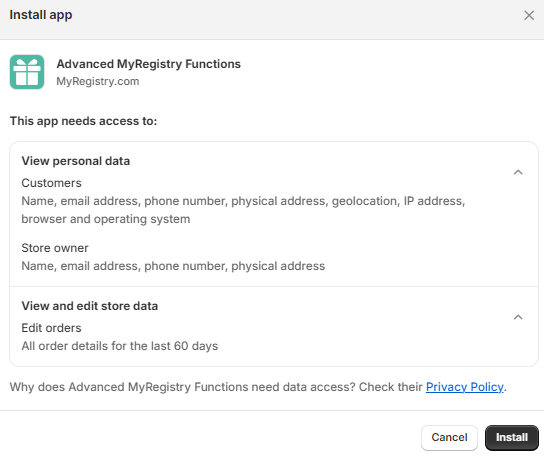
 Grant the App the required access while installation
Feature Installations
Once you have installed the app successfully, please proceed with installing individual features per your plan
Add to Registry Button
Lets customers add products to their gift registry directly from product detail pages and even create a giftlist account if needed
Steps to add 'Add to Registry' button
Inside Shopify admin panel
- Navigate to
Sales Channel👉Online Stores👉Themes👉Customize

- You will be redirected to the theme editor. In the header:
Click Home Page👉Products👉Default Product / Product Information (Name can differ)
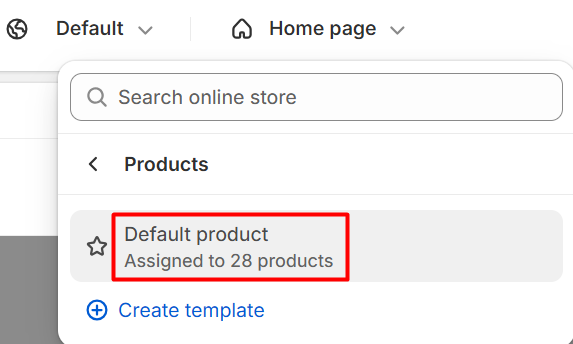
- On the left panel , Click on the
(+) iconto add an app block and SelectApps👉Add to Registry
- Click
Save
As we placed the block below the Buy Button, the Add to Registry button appears:
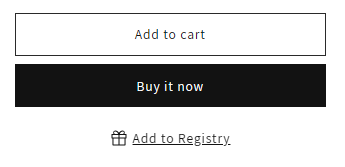
Once the Add to Registry block has been successfully added to your product pages, you can fully customize the look and feel of the button to match your store's branding
Customize the button
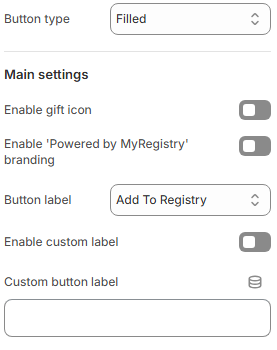
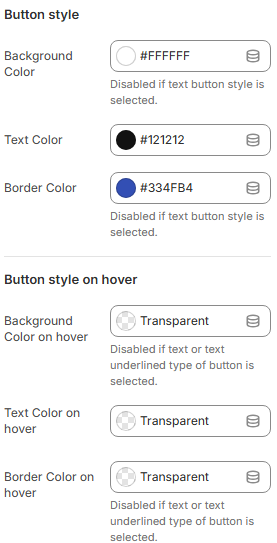
To match your brand aesthetics, use the built-in customization panel:
Navigate to: Online Store 👉 Themes 👉 Customize 👉 Product Info 👉 Add to Registry Block
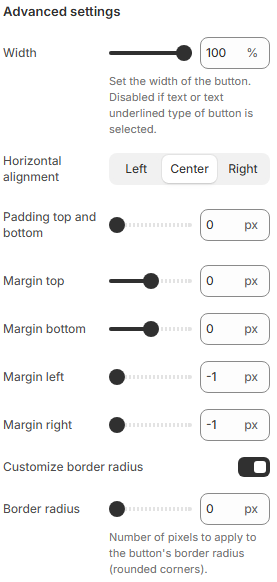
Custom CSS (Optional)
.myregistry-add-button {
  background-color: #f7f7f7;
  border-radius: 6px;
}
💡 LeaveCustom CSS Classnames blank unless referencing theme-specific classes
✅ Click Save once design is finalized.
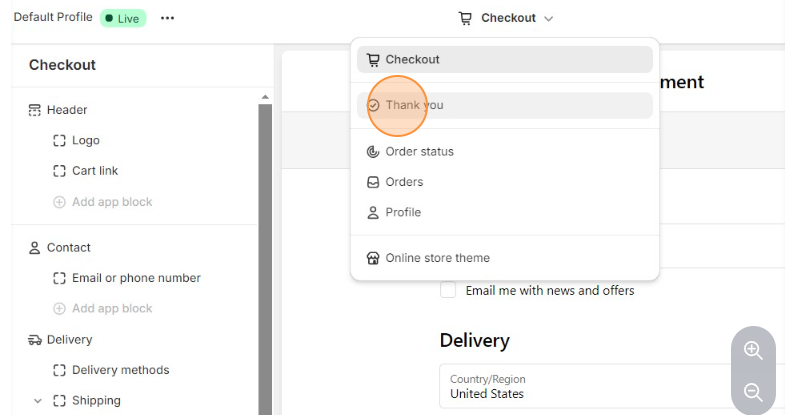
Landing Page
Automatically marks gift items as "Purchased" on the MyRegistry.com gift list after a successful Shopify transaction
Steps to configure Landing Page

Automark as Purchased
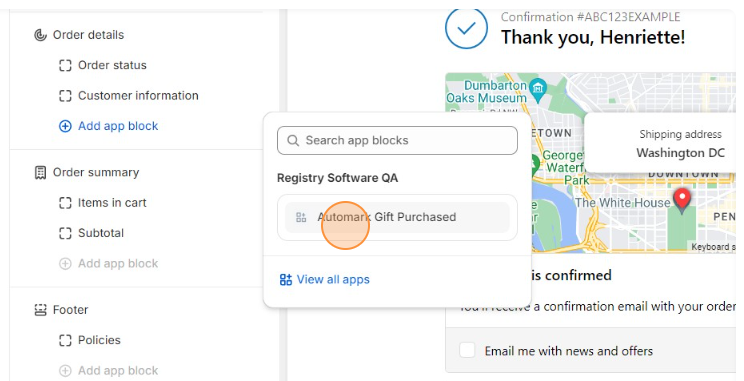
Automatically marks gift items as "Purchased" on the MyRegistry.com gift list after a successful Shopify transaction
Steps to add Automark as Purchased
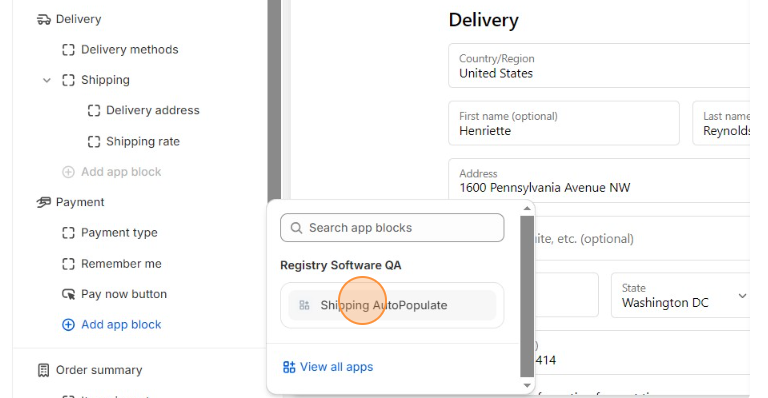
Shipping Auto-Populate
Automatically fills in the shipping address from the customer's MyRegistry.com account during Shopify checkout
This is an extension, compatible only for Partners enrolled in Shopify Plus plans
For Example: when customers select a gift from their MyRegistry gift list, this feature ensures that their pre-stored shipping details are accurately applied, streamlining the purchase experience.
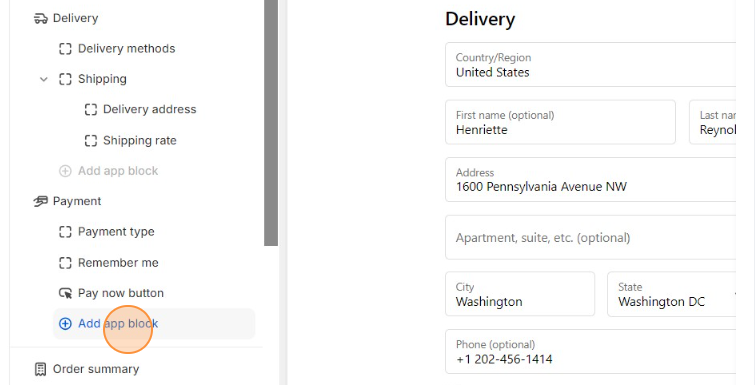
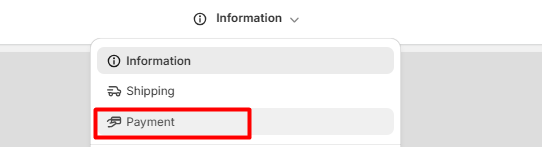
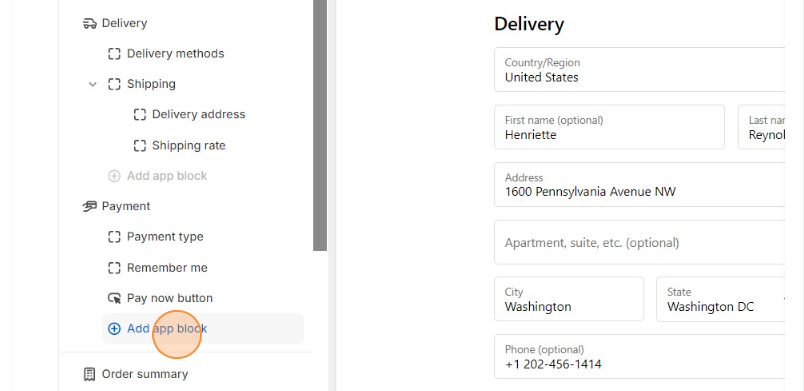
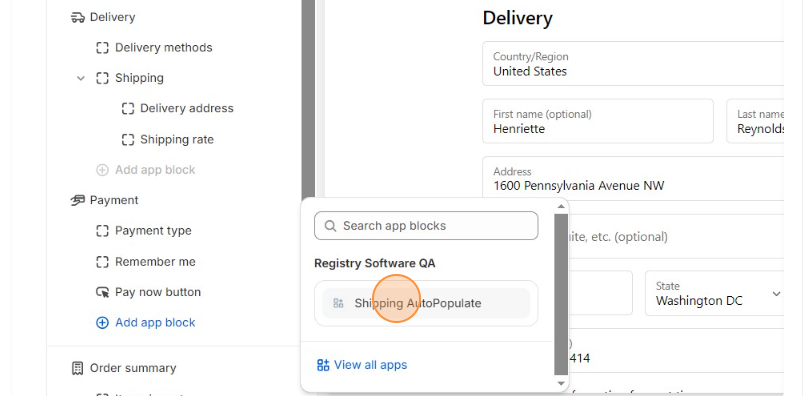
This feature can be set up based on the preferred checkout layout of the store
- To check the selected checkout
Go To Settings👉Checkout👉Customize - Select Settings from the left panel and scroll down to
Checkout layoutsection
Setup One Step Checkout

Setup Three Steps Checkout

MyRegistry POS
Automatically marks gift items as "Purchased" on the MyRegistry.com gift list after a successful Shopify transaction
Steps to integrate MyRegistry POS system
Updated 3 days ago
Need Support? If you're unsure or need assistance with your integration, contact our team:
Email: [email protected]
We’re here to help get your registry features live and working smoothly!