
Listrak
Sync MyRegistry registrants data into your Listrak lists for email campaigns and personalization
Preliminary Setup
- Setup and Integration in Listrak with access to List, Contact, Event and Segmentation areas.
- Copy the Client ID and Client Secret for this integration
- Copy your List ID that you want to use for the Sync.
🗝️ Tokens expire in Listrak OAuth2, Ensure you handle refresh tokens correctly
Configuration in MyRegistry
The configuration is managed using the Partner Dashboard.
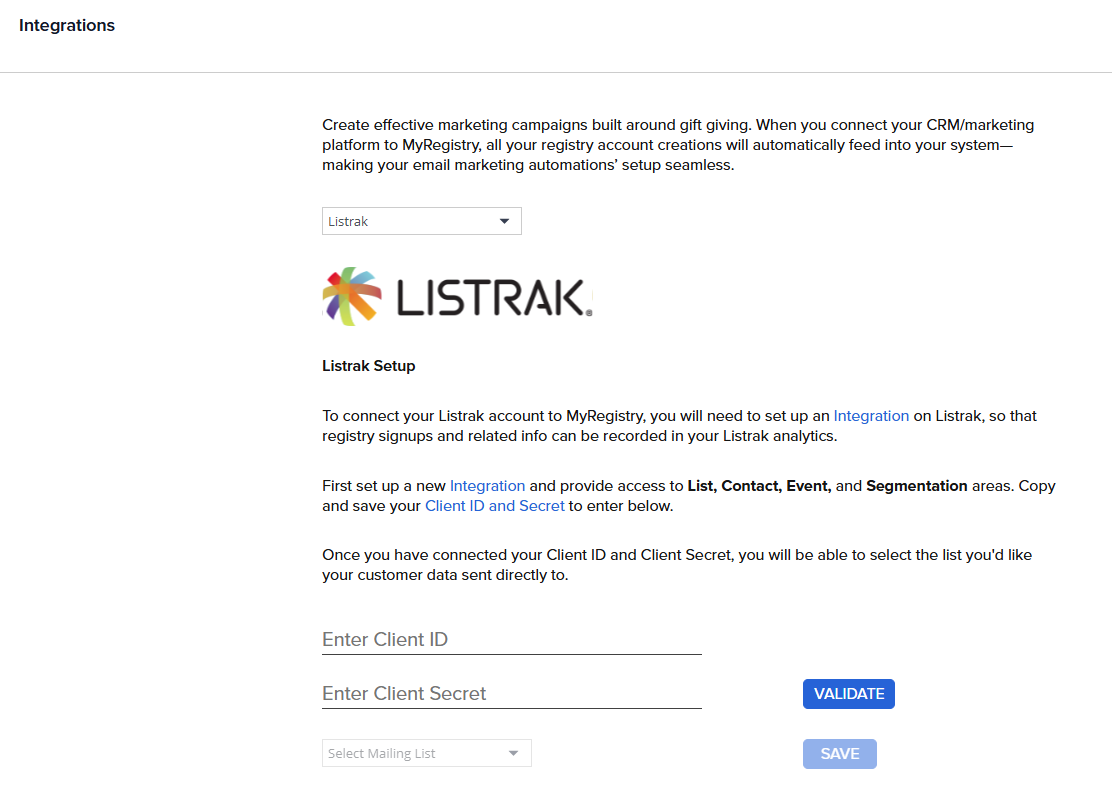
- Enter your Client ID and Client Secret and Validate
- Select the Mailing List From the List shown pick the list that MyRegistry should sync contacts to.
🪄 Integrations run daily to sync new and updated registrants
📲 Combine MyRegistry event dates with Listrak’s Event Groups for automated reminders
Data Mapping
| Field | Description |
|---|---|
| FirstName | User’s first name |
| LastName | User’s last name |
| Email address | |
| Phone | Phone number |
| Address | Street, city, state, zip |
| RegistryId | Unique MyRegistry ID |
| RegistryType | Registry type (Wedding/Baby) |
| EventDate | Event date |
 Ensure your list schema allows custom attributes like
 RegistryId and RegistryType
Updated 10 months ago
Did this page help you?