
Mailchimp
Sync MyRegistry registrant data into your Mailchimp Audience, keeping your campaigns up to date
Preliminary Setup
- Generate an API Key and copy it.
- Copy the List ID where MyRegistry will sync contacts
🚨 The role of the user that generated the API Key determines the access that the API has. Make sure that the API key generated as has access to Lists.
Configuration
The configuration is managed using the Partner Dashboard.
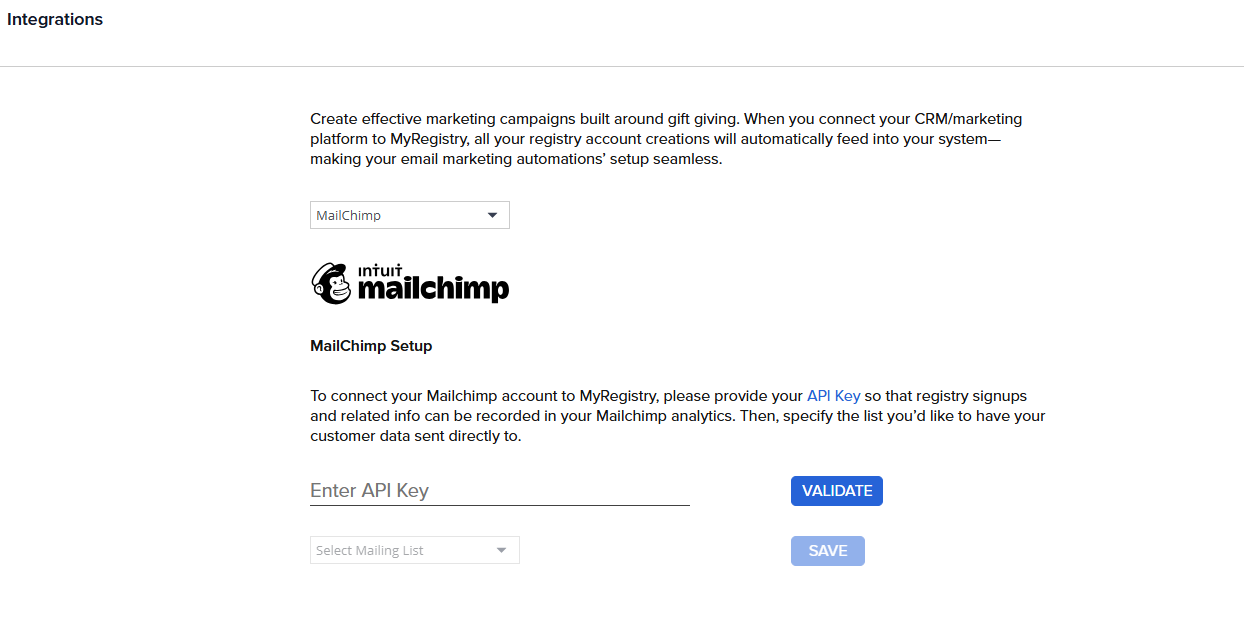
- Enter Private API Key In this field fill in the Private API Key you created in Klaviyo and click on Validate.
- Select the Mailing List From the List shown pick the list that MyRegistry should sync contacts to.
🪄 Integrations run daily to sync new and updated registrants
Data Mapping
| Property Name | Merge Tag | Description |
|---|---|---|
| FirstName | FNAME | First name |
| LastName | LNAME | Last name |
| Email address | ||
| Phone | PHONE | Phone number |
| Address | ADDRESS | Full mailing address |
| RegistryId | MR_REGID | Registry unique ID |
| RegistryType | MR_REGTYPE | Type of registry |
| EventDate | MR_REGDATE | Registry event date |
 Custom fields (
MR_REGID, MR_REGTYPE, MR_REGDATE) must be created in Mailchimp before sync
Updated 10 months ago
Did this page help you?